AkelDarkMode Plugin for AkelPad
Finally, a complete and seamlessly integrated Dark Mode for AkelPad!
AkelDarkMode modernizes AkelPad's classic look into a clean dark environment to reduce programmer eye fatigue. Unlike standard skinning, it dynamically theme-hooks the editor's UI—including the title bar, menu bar, tabs, status bar, and common controls—on the fly, with no need to restart AkelPad.
It already provides a solid, daily-usable experience on a clean/vanilla installation of AkelPad. However, several details remain to be polished (such as edge-case controls and compatibility testing across third-party dockable plugins), so the code is completely open for community collaboration.
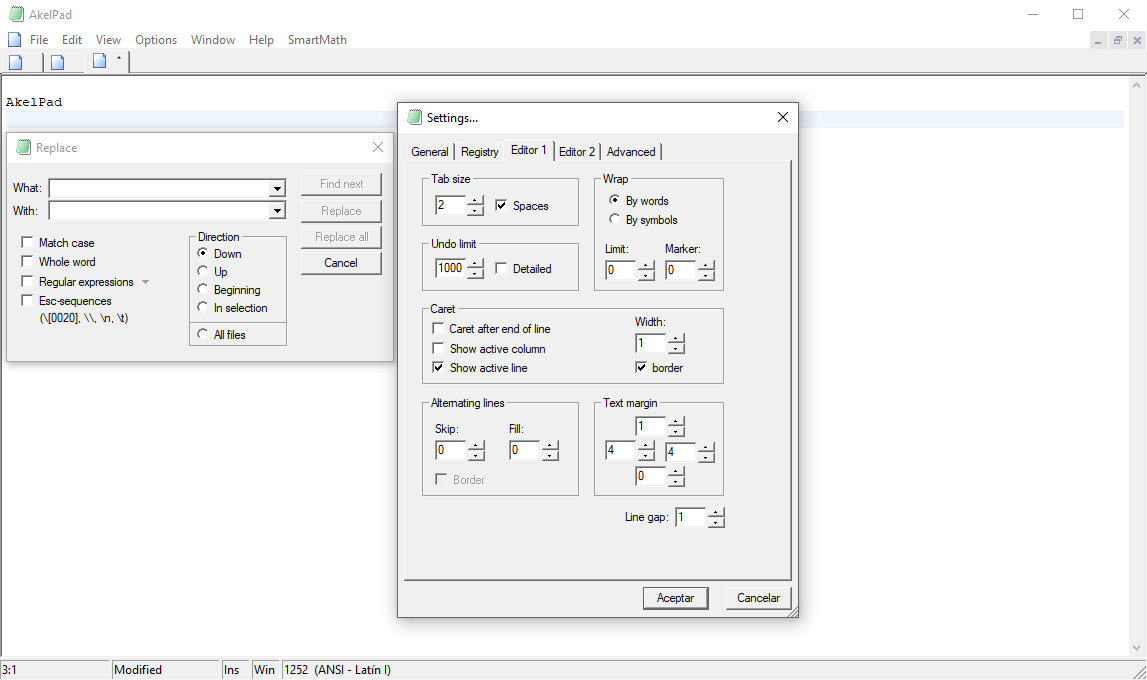
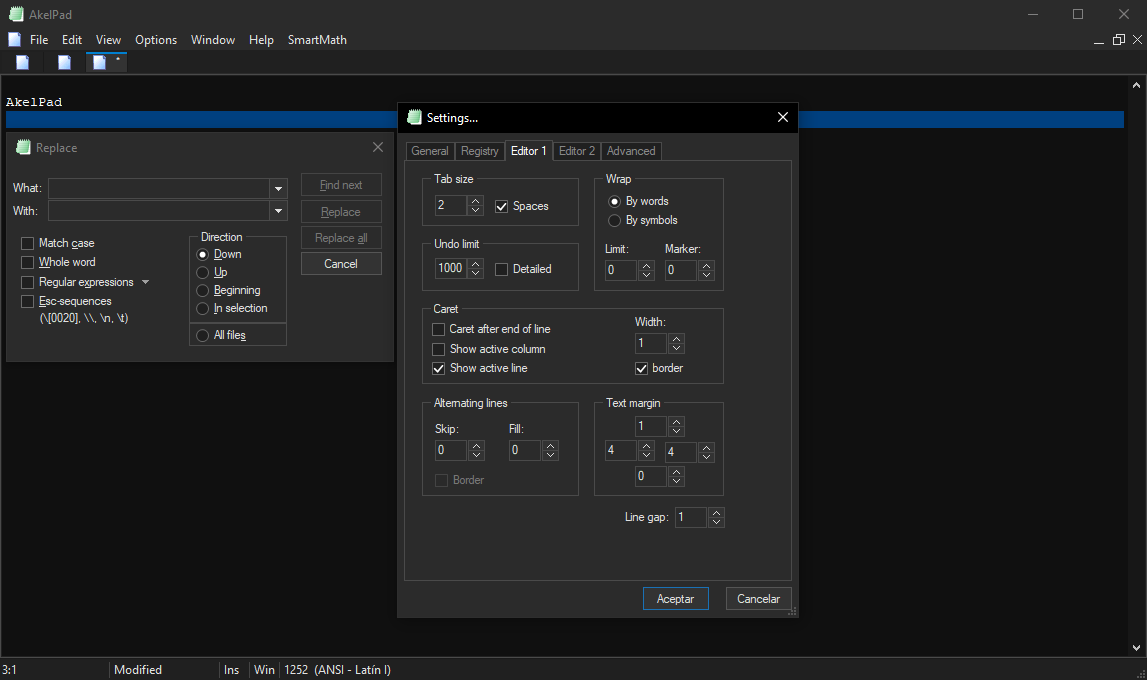
 Features
- Instant On-the-Fly Toggle: Switch dark mode on and off instantly without restarting AkelPad.
- Native Windows 10/11 Dark Title Bar: Uses DWM/UxTheme composition hooks to enforce dark window frames and borders on modern Windows versions (1809+ / Windows 11).
- Dark Menu Bar & System Buttons: Custom UAH menu bar rendering, including dark backgrounds, hover highlights, and custom min/restore/close caption buttons.
- Dark Tabs & Status Bar: Fully themed tab bar with active accent lines, hover states, and an integrated dark status bar with custom resize grips.
- Extensive Common Controls Subclassing:
- Buttons, GroupBoxes, Checkboxes, and Radio buttons (rendered smoothly via GDI+).
- ComboBoxes, Dropdown lists, and ListBoxes.
- ListViews and custom dark column headers.
- Up-Down / Spin controls and Static dividers.
- Automatic Dialog Hooking: Intercepts and styles popup dialogs (e.g., Font selection, Color pickers, Settings) using CBT hooks.
- Ultra-Lightweight: Zero third-party dependencies, built purely on native Win32 APIs and FreeBASIC.
🛠 Technical Details
- Language: 100% FreeBASIC (Modular Win32 architecture).
- Interface: Standard AkelPad Plugin API (AkelDLL.bi).
- Theming Core: Undocumented UxTheme APIs (SetWindowCompositionAttribute, AllowDarkModeForWindow, SetPreferredAppMode) combined with systematic Window Subclassing.
- Dialog Trap: Global thread CBT Hook (WH_CBT) catching newly created dialogs (#32770) and subclassing their children.
- Graphics: Win32 GDI + GDI+ (for anti-aliased checkboxes, radio buttons, and borders).
 Current Status & Known Caveats
- Vanilla AkelPad: Works out-of-the-box and looks consistent across main editor windows and default dialogs.
- Plugin Compatibility: Not yet tested against complex plugin panels (e.g., Explorer, Coder, ToolBar). These may need specific hooks or exclusions.
- Remaining Tasks: Fine-tuning certain standard dialog controls, ensuring high-DPI scaling robustness, and expanding control coverage where standard grey backgrounds might still bleed through.
 Compilation
To build the plugin yourself:
- Install the FreeBASIC compiler (fbc) and ensure it is in your system's PATH.
- Open a console inside the project folder.
- Run the included Compile.bat (or execute):
Code: Select all
fbc -dll -gen gcc "AkelDarkMode.bas" - The resulting AkelDarkMode.dll will be generated ready to use.
 Installation
- Copy the compiled AkelDarkMode.dll into your plugins folder:
- <AkelPad_Directory>\AkelFiles\Plugs\
- Open AkelPad.
- Press Alt+P (Plugins dialog), select AkelDarkMode::Main, and click Call (or assign a hotkey / enable Autoload).
 Source Code & GitHub Repository
The complete source code, project files are hosted on GitHub:
 https://github.com/c-sanchez/AkelDarkMode
 Contributions & Code Sharing
As mentioned, I am sharing this source code freely with the community. If you have FreeBASIC or Win32 experience and wish to add improvements, fix plugin interoperability, or take over maintenance, feel free to modify, fork, or redistribute the code!

Hopefully, this provides a solid foundation for everyone who has been wanting a proper Dark Mode in AkelPad
