
SearchBar is a native, lightweight, and highly integrated search and replace plugin for the AkelPad text editor.
It was created to bridge the gap between two excellent existing tools (QSearch and FindReplaceEx), combining the simplicity of a compact search bar with the power of advanced folder scanning, all without relying on modal dialogs or the AkelPad Scripts plugin.
 Screenshots
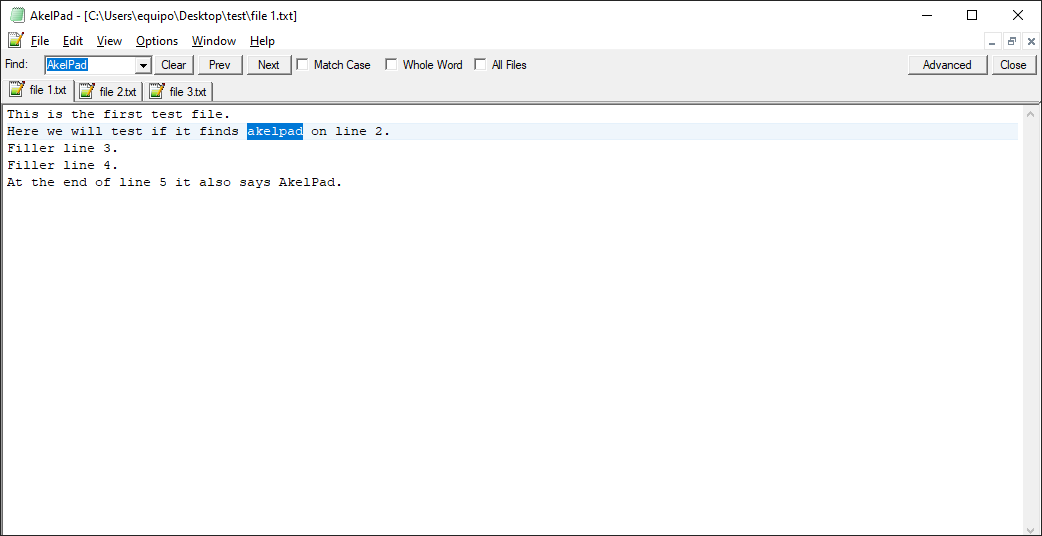
Basic Mode (Top Bar)
Ideal for quick, in-file searches.
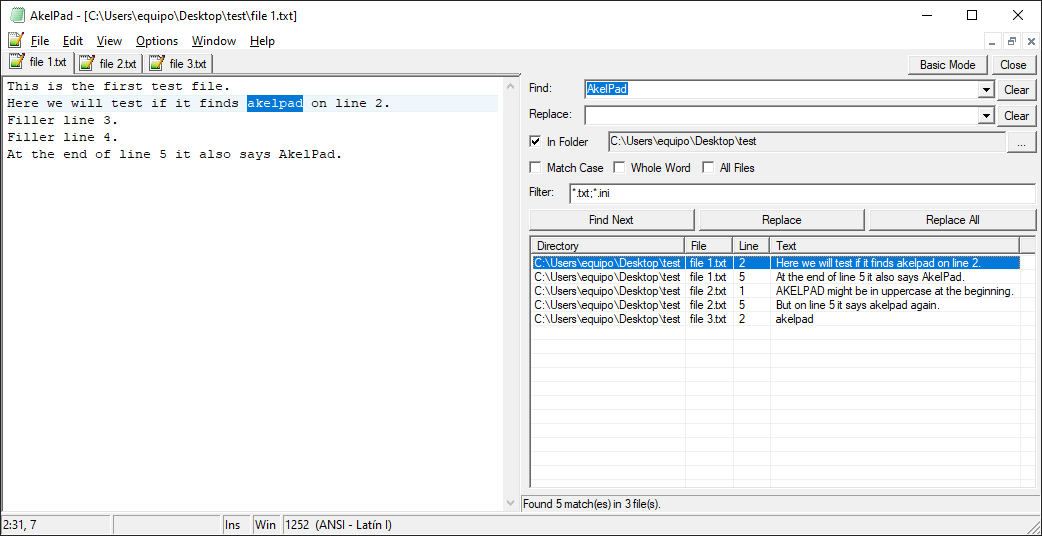
Advanced Mode (Side Panel)
Perfect for complex "Find in Folders" operations across multiple files.
 Key Features
- Dual Interface Mode: Instantly toggle between a compact top bar (Basic) and a resizable side panel (Advanced).
- Find in Folders: Search for text across multiple files within specific directories using custom file extensions and filters (e.g., *.txt;*.ini).
- Quick Navigation: Double-click any result in the list to automatically open the file and jump directly to the exact matched line.
- Search History: Keeps track of your recent searches and replace terms across sessions.
- Integrated Experience: Non-blocking panels embedded directly into the editor's UI, completely eliminating annoying modal pop-ups.
- Native Architecture: Written entirely in FreeBASIC. It compiles to a native x86/x64 DLL, meaning zero external dependencies are required.
 Installation
- Go to the Releases page and download the latest compiled .zip file.
- Extract the archive and choose the appropriate DLL architecture (x86 or x64) for your AkelPad installation.
- Place SearchBar.dll inside your AkelFiles\Plugs\ directory.
- Restart AkelPad.
- Go to Options -> Plugins (or press Alt+P), find SearchBar::Main, and check it to enable it. You can also assign it a hotkey for quick access.
 Compiling from Source
If you want to modify the code and compile it yourself, it is very straightforward:
- Download and install FreeBASIC.
- Clone or download this repository.
- Run the Compile.bat script included in the root folder.
- The script will invoke fbc (FreeBASIC Compiler) and generate the SearchBar.dll file automatically.
 Motivation & Contributing
AkelPad has a fantastic community and great existing search tools. However, I found myself frustrated by modal dialogs that obstruct the view or by having to install multiple script dependencies just to search inside a folder. SearchBar is my attempt to provide a smoother, more modern user experience.
While it might currently have fewer esoteric options than other alternatives, it does exactly what is needed for a fast, daily workflow.
Contributions, bug reports, and feature requests are highly appreciated! Feel free to open an issue or submit a pull request.