Поскольку под AkelPad такого ещё не было, выкладываю прототип GoToAnything (переход к файлу/строке в файле/поиск текста) для AkelPad. Вдохновлено угадайте каким редактором, в связи с чем предлагается горячая клавиша Ctrl+P.
Начиная с версии 0.4, скрипт поддерживает Избранное (Favourites) и Историю Открытия Файлов (Recent Files History).
GoToAnything.js
Скрипт уже увеличился настолько, что не влазит в сообщение. Поэтому скачайте его тут:
https://github.com/d0vgan/AkelPad-Scrip ... in/Scripts
Давайте обсуждать скрипт в соседней теме:
http://akelpad.sourceforge.net/forum/vi ... php?t=2151
Scripts collection
- Author
- Message
-
Offline
- Posts: 1870
- Joined: Mon Aug 06, 2007 1:07 pm
- Contact:
<download | development version>
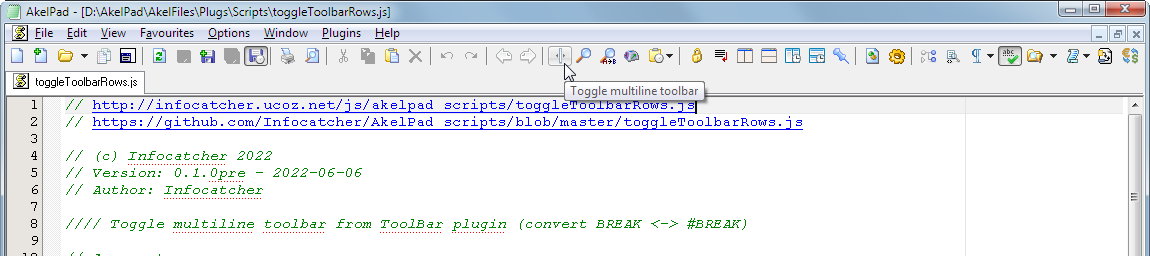
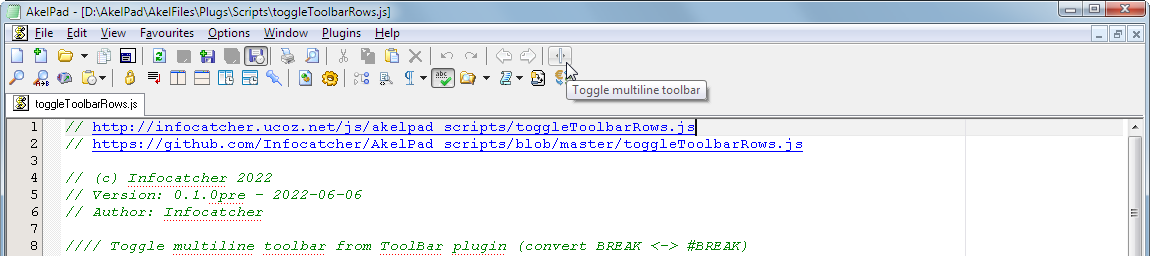
Toggle multiline toolbar from ToolBar plugin (convert BREAK <-> #BREAK).
Toggle multiline toolbar from ToolBar plugin (convert BREAK <-> #BREAK).
-
Offline
- Posts: 15
- Joined: Wed Feb 16, 2022 2:25 pm
В сценарий PluginText.js (автор KDJ) добавил поддержку работы с различными кодировками (сохранение - только UTF-16 или UTF-8 ) и форматами новой строки (сохранение - только в CR или CRLF) файлов .akelmenu.
В оригинальном сценарии сохранять и загружать файлы можно только в UTF-16 LE, CR.
Прежде всего это полезно при работе с Git или Mercurial, которые не поддерживают UTF-16 (сравнивают как бинарные файлы, и с ними потом неудобно работать) и переводы строк в стиле Mac (CR, \r).
Поскольку KDJ перестал посещать этот форум, просто выкладываю модифицированный вариант сценария.
PluginTextEx.js
В оригинальном сценарии сохранять и загружать файлы можно только в UTF-16 LE, CR.
Прежде всего это полезно при работе с Git или Mercurial, которые не поддерживают UTF-16 (сравнивают как бинарные файлы, и с ними потом неудобно работать) и переводы строк в стиле Mac (CR, \r).
Поскольку KDJ перестал посещать этот форум, просто выкладываю модифицированный вариант сценария.
PluginTextEx.js
-
Offline
- Posts: 338
- Joined: Mon Jun 03, 2019 2:33 am
Re: Scripts collection
Иногда хочется посмотреть скрипт, но лень искать его в списке скриптов, скопировал имя скрипта (двойной клик -> Ctrl+C), кликаем пункт и скрипт уже открыт.
-
Offline
- Posts: 338
- Joined: Mon Jun 03, 2019 2:33 am
Re: Scripts collection
Stemming (RU) - удаляет окончания слов для генерации списка слов поискового запроса. Например я сделал поле ввода для поиска слов по справке. Мне нужно иметь только слова имеющиеся в справке. Я получаю список всех слов, но там есть такие как "мяч, мячу, мячом, мячами, мячи" и т.д. при этом для поискового запроса требуется только "мяч" чтобы найти все его вхождения в справке.
Обновил, добавил поддержку "ё", точнее восстановление "ё" из оригинального слова.
Обновил, оптимизировал вариант с "ё".
Обновил, добавил перевод в нижний регистр и сообщение о завершении обработки.
Проверка на отсутствие гласных в слове исключает абревиатуры.
70 тыс. строк очень медленно обрабатывает, 1 минута 10 сек. (онлайн-сервисы обрабатывают мгновенно).
Обновил, добавил поддержку "ё", точнее восстановление "ё" из оригинального слова.
Обновил, оптимизировал вариант с "ё".
Обновил, добавил перевод в нижний регистр и сообщение о завершении обработки.
Проверка на отсутствие гласных в слове исключает абревиатуры.
70 тыс. строк очень медленно обрабатывает, 1 минута 10 сек. (онлайн-сервисы обрабатывают мгновенно).
-
Offline
- Posts: 26
- Joined: Sat Jul 05, 2008 11:30 am
- Location: Odesa, Ukraine
Re: Scripts collection
The script is purposed to pass a selected text to the default browser.
- If there's a predefined URL, the selected text will be processed by the receiving service, e.g. Google Translate, DeepL, etc.
- If a valid URL is recognized within the selected text at the beginning, it will be opened in the default browser as such.
- If the selected text is just a text it will be passed as a search query to Google Search.
The main difference between the two is the way they handle selected text that a. contains double quotes ["], b. contains multiple lines, c. is simply a text and cannot be recognized as a [part of] valid URI.
- if the selected text contains double quotes ["]:
- The original script drops off everything after the very first double quote it meets.
+ The customized script will replace double quotes ["] with single quotes ['] to pass the selected text as a whole. - if the selected text contains multiple lines:
- The original script glues the lines together without any separation which makes it difficult to properly process it further by the receiving services (translators, search engines, etc).
+ The customized script will join the lines via blank space(s) to pass the selected text as a whole readable line. - if the selected text is just a text (and cannot be recognized as a [part of] valid URI):
- The original script adds 'http:\\' prefix to the selected text and then your browser tries to process all that as a URL, which makes no sense and fails.
+ The customized script will wrap the selected text into a valid request, for instance, as a Google Search request for the selected text as a whole.
- The selected text is now being preprocessed with the encodeURIComponent() function within the script itself that brings the following positive effects:
- multi-line text is now being passed as such (with line breaks); the receiving service would now process that properly (including keeping the multi-line structure intact, both within the input and output*); separate preprocessing of the line breaks in the script is no longer required.
- double quotes are being passed as such; the receiving service would now process that properly (keeping the double quotes intact); separate preprocessing of the double quotes in the script is no longer required.
- If the receiving service is DeepL, slash and pipe characters ("/", \x2f; "|", \x7c, respectively) have to be removed from the text since the service cannot digest them within the externally passed URI (the service would drop off everything starting from the first "/" on; and would hang on when meets "|").
* For Google Translate it may look as though the line breaks are gone within the translated text section, however, if you copy-paste the text from there back to AkelPad, the line breaks would be kept in place.**
** This might somehow not always be the case. For instance, if the target language is Russian, the line breaks are actually gone.
-
Offline
- Posts: 26
- Joined: Sat Jul 05, 2008 11:30 am
- Location: Odesa, Ukraine
Re: Scripts collection
The script uses wget.exe tool to download a URL into the Downloads folder.
Notes:
The script's intended use is from the URL menu.
The Downloads folder location is being retrieved from the Windows* registry.
A user has to put their actual path to the wget executable there in the script:
- relative to the AkepPad directory like in the script :: $bin = $a + '\\..\\Get\\wget.exe';
- or a literal one, something like :: $bin = 'd:\\Tools\\wget.exe'
wget.exe -S -N --no-if-modified-since --no-hsts -U=Mozilla --referer="$url" "$url" -P $downloads
This is pretty suitable for most user cases, but, of course, is not universal.
So feel free to modify it according to your specific needs, if any.
* This is a thing for more or less modern Windows.
Windows XP does not have a designated "Downloads" folder by default.
In such a case, a user might prefer to set a destination folder manually, for instance, putting a literal path for the $downloads variable, something of a kind:
- $downloads = 'd:\\Path\\to\\My\\Custom\\Downloads\\Location\\';
- $downloads = "%USERPROFILE%\\Downloads";
-
Offline
- Posts: 1
- Joined: Fri Aug 28, 2026 9:36 am
Re: Scripts plugin
// Line Calculator for AkelPad
// Based on: Shengalts Aleksander aka Instructor (original)
// Modified: AZJIO (insert logic), Qwen (degrees, auto-insert, no dialog)
Скрипт Calculator для AkelPad. Считает тригонометрию в градусах (вместо радианов сейчас), понимает вложенные скобки и сам вставляет результат выделенного выражения без назойливых окошек.
https://disk.yandex.ru/i/Lwq8QypbocIgrQ
PS - поправил степени и логарифмы
acos(0,86237507) = 30.415689263295963
(71^2+72^2)^(1/2) = 101.11874208078342
ln(10) = 2.302585092994046
// Based on: Shengalts Aleksander aka Instructor (original)
// Modified: AZJIO (insert logic), Qwen (degrees, auto-insert, no dialog)
Скрипт Calculator для AkelPad. Считает тригонометрию в градусах (вместо радианов сейчас), понимает вложенные скобки и сам вставляет результат выделенного выражения без назойливых окошек.
https://disk.yandex.ru/i/Lwq8QypbocIgrQ
PS - поправил степени и логарифмы
acos(0,86237507) = 30.415689263295963
(71^2+72^2)^(1/2) = 101.11874208078342
ln(10) = 2.302585092994046
-
Offline
- Posts: 26
- Joined: Thu May 05, 2022 5:38 am
Re: Scripts collection
Вертикальная разметка.
